The shot that takes you
two hours to find
now takes two seconds.
Before you know it, your team's spending zero time hunting for footage.
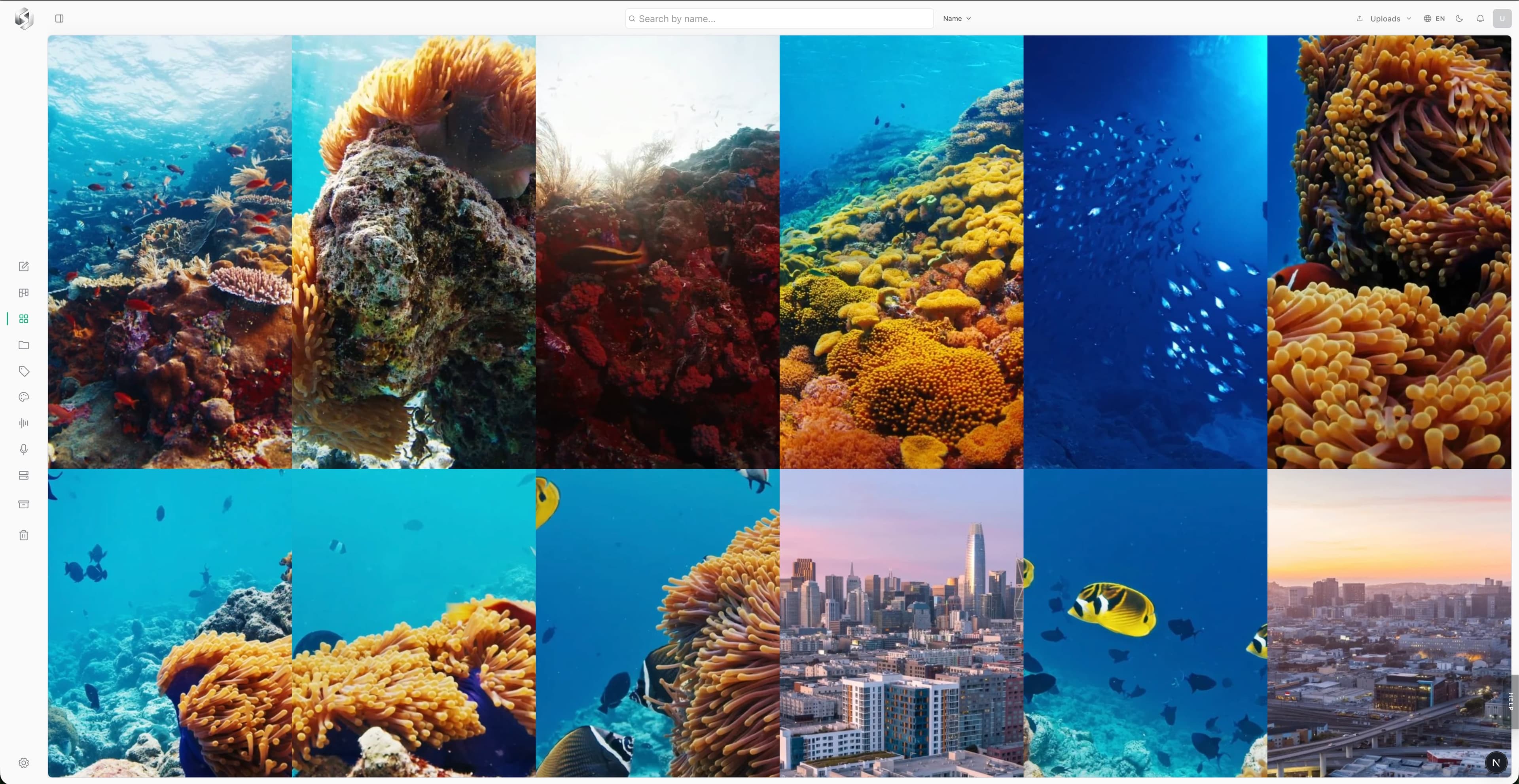
Every asset arrives ready to search.
Tagged, categorised, audio scanned, and faces recognised — all before you've had a chance to hit search.
Tagged
Objects, scenes, and settings recognized and tagged the moment a file lands.
Categorised
Every asset sorted by type and content, so the library stays browsable without manual work.
Audio scanned
Every word transcribed and indexed, so a line of dialogue is as searchable as a filename.
Faces recognised
Every person identified and grouped across the whole library, automatically.
Content - The way it should be.
Every production team burns hours on the same three walls. Square Glass is built to knock down each one.
The library is a black hole
Clips scattered across drives, folders, and someone's laptop. Finding the right take means asking around and hoping.
Filenames tell you nothing
Nobody remembers what a clip contains from its name. So the good stuff gets re-shot, or never used at all.
Handoffs turn into chaos
Editors, clients, and contractors each get a different zip. Versions drift. Approvals get lost in email.
Search inside your footage, not just its filenames.
Squareglass indexes every asset the moment it lands: objects, scenes, spoken words, and faces. Type what you remember; get the exact frame back.
- TAGSAuto-tagged on ingest: “ocean”, “drone”, “interview”, no manual metadata.
- SAIDTranscript search jumps you to the second a line was spoken.
- FACESGroup every clip a person appears in across the whole library.
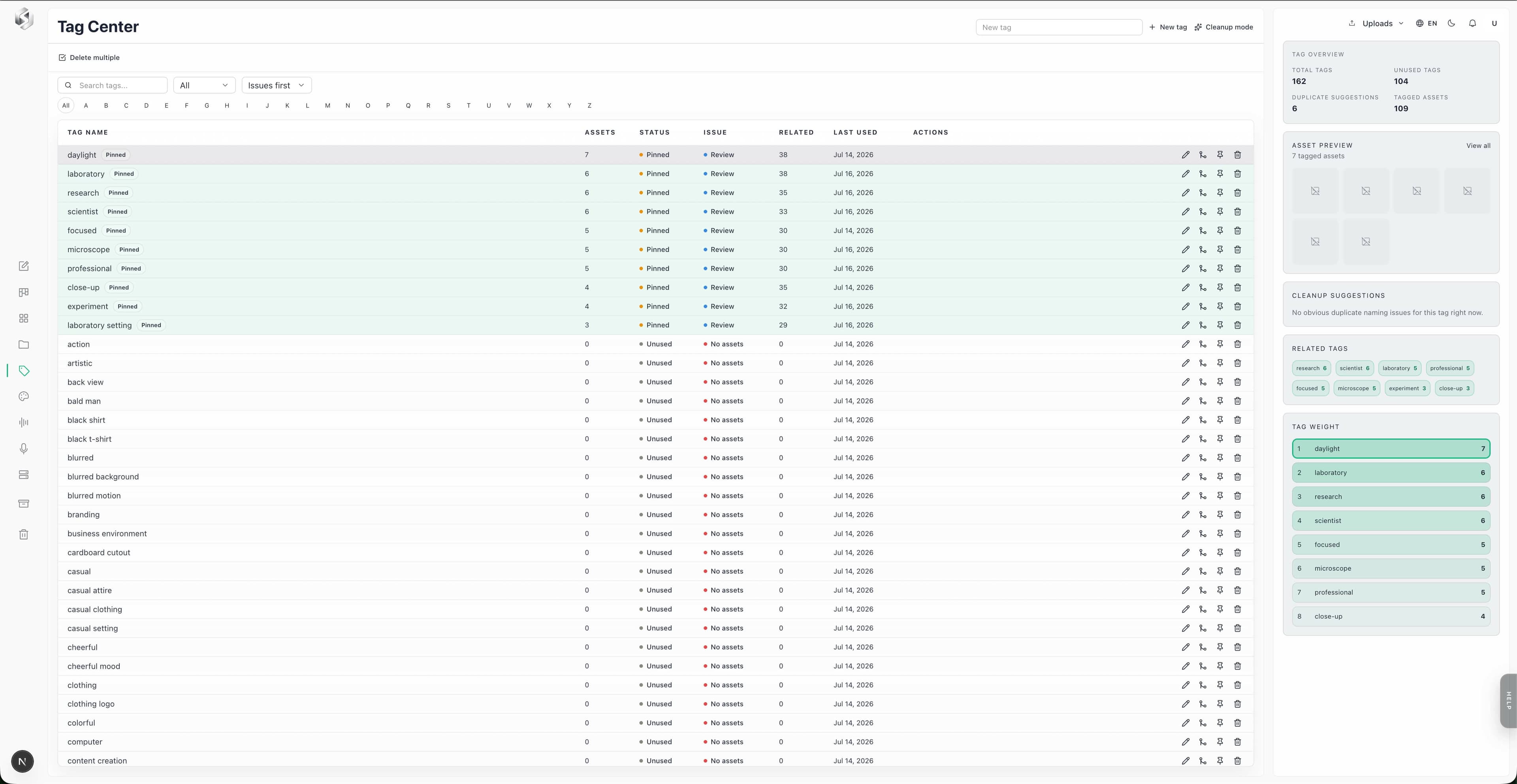
Your library organizes itself on the way in.
Every upload is auto-tagged, de-duplicated, and sorted into projects and stacks, so the library stays browsable without anyone maintaining it.
- TAGGEDScenes, objects, and people recognized automatically.
- STACKSCollections that don’t fight your existing folder structure.
- DUPESDuplicate detection keeps the library clean as it grows.
Auto-organizing on upload
Browse your library exactly the way you work.
Every view adapts to how you shoot — grid size, density, file type, clip length, even the camera and lens you used.
- GRIDSwitch between compact and large thumbnail grids on the fly.
- DENSITYTune how much detail shows per card, from bare thumbnails to full metadata.
- FILE TYPEFilter down to just video, images, audio, or documents in one click.
- LENGTHSplit short-form clips from long-form footage instantly.
- LENS & CAMERANarrow results by the camera body or lens used to shoot them.
Grid, density, and filter preferences
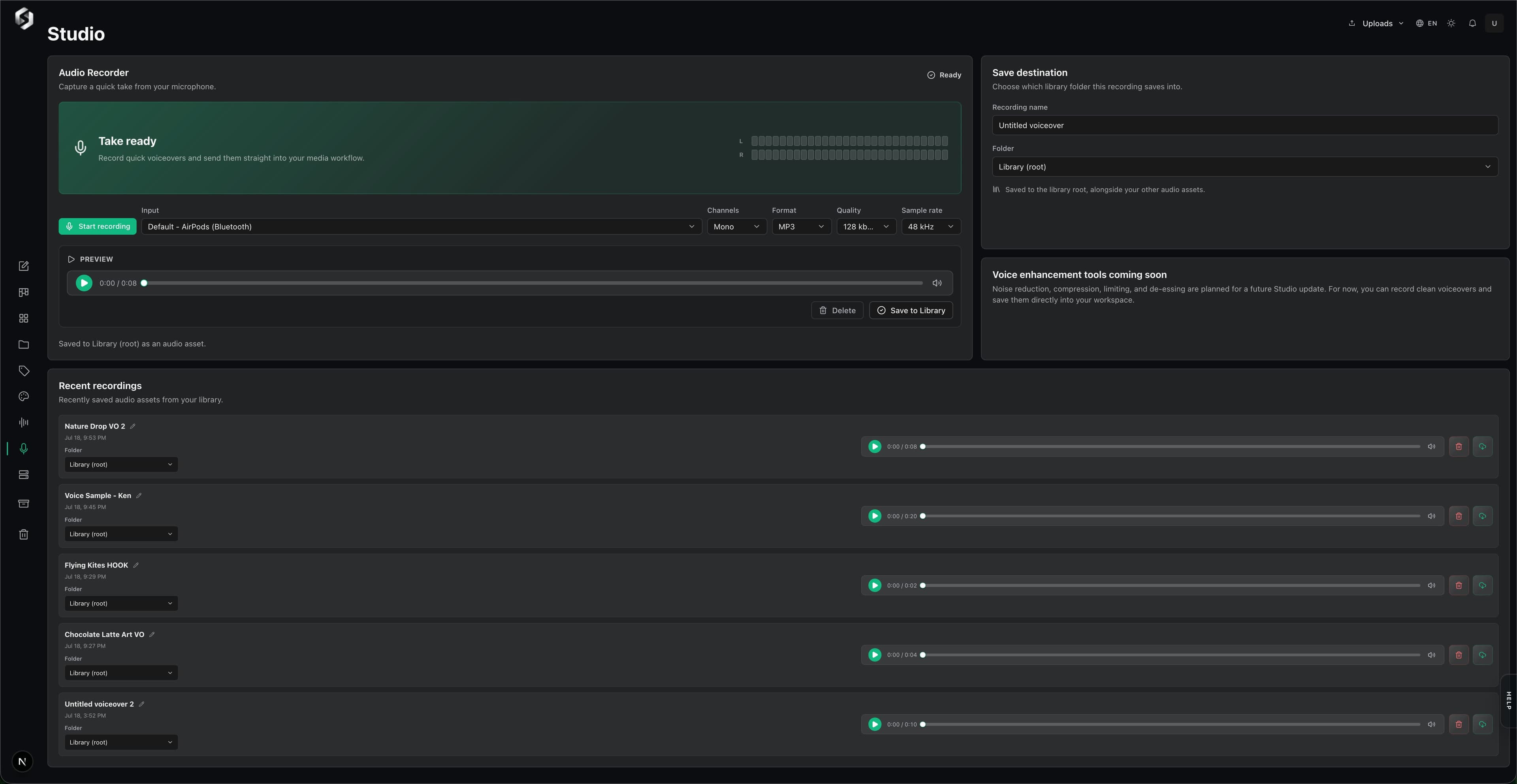
Record voiceover straight into your library.
Capture audio right in the browser, no separate app, no export step. Preview the take, name it, and it lands in your library ready to search and hand off.
- RECORDMono or stereo input, straight from your mic, with a live level meter.
- FORMATExport as MP3, WAV, or WebM, with quality settings up to 320 kbps.
- INSTANTSaved straight to Library the moment you're done, no upload step.
Start your 14-day trial and see it for yourself.
Connect the storage you already use.
Squareglass indexes what you already have, no migration, no moving files. Point it at your storage and start finding things.
Start with your current librarySerious infrastructure doing the quiet work.
The organizing, transcribing, and recognizing runs on enterprise-grade models, so the library just works while you focus on the edit.
Transcription
Face recognition
Get your team into Squareglass fast.
Paid plans unlock the full platform across storage, review, approvals, search, and AI organization. Start with Core, scale into Studio or Pro, or talk to us about Enterprise. Every free trial includes 45 Ghost AI credits to try before you buy.
Best for teams that want one fast place to find, review, and hand off their clips, with the rest of the archive connected from Drive or Dropbox.
Best for active production teams running daily handoffs across search, review, approvals, transcription, and editorial.
Best for larger teams that need the full operating layer: priority processing, tighter access control, and the Color Lab.
* Prices in USD
Offer subject to terms of use.
Stop searching, Start Producing.
Spin up a trial, build your library, and locate your files instantly.